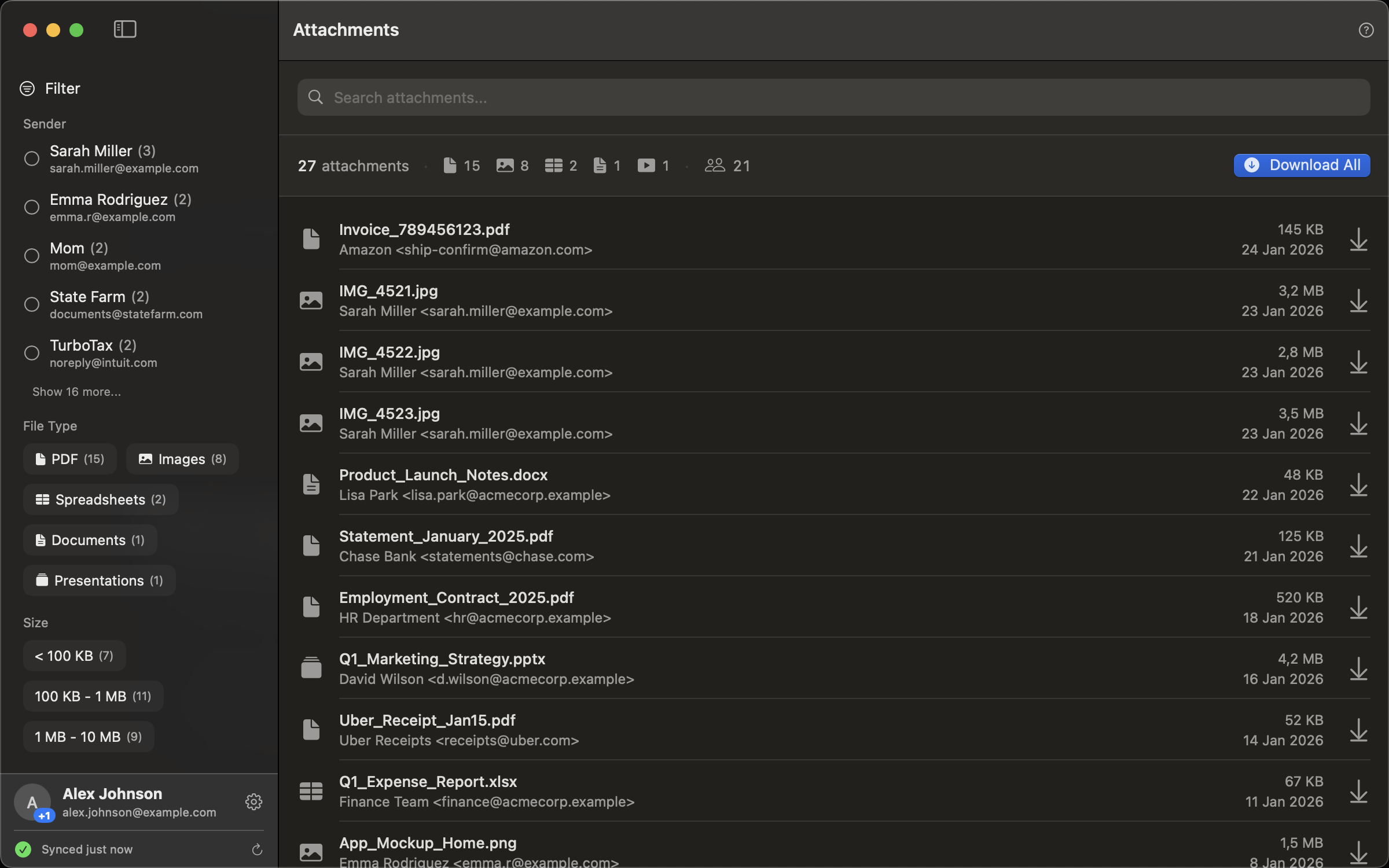
Every file anyone ever sent you. Instantly searchable. Download only what you need, organized how you want.
Private by design. Ready in minutes.
No cloud sync. No analytics. No tracking. Everything stays on your computer. We never see it.
Connect up to 5 Gmail inboxes: personal, work, whatever you've got. Search across all of them and download everything in one go.
Free users can search the last 90 days. Pro removes the limit. Find attachments from years ago.
Download free from the Mac App Store. Connect your Gmail, and your attachments are organized in minutes. Upgrade to Pro anytime if you need more.
Every Gmail inbox is a treasure trove of files. Here's what people are finding in theirs.
Freelancers pulling every receipt and invoice from the year. Accountants love them.
All those pictures grandma sent. School photos. Vacation shots from friends. Finally in one place.
Archive all your work documents before you lose access. Performance reviews, project files, everything.
Inspection reports, contracts, closing documents, mortgage papers. All scattered across emails until now.
Vendor invoices, signed contracts, proposals. Stop hunting through threads for that one PDF.
Court documents, signed agreements, insurance claims. Build your paper trail in minutes.
Syllabi, lecture slides, research papers. Every file your professors ever sent.
Lab results, prescriptions, insurance EOBs. Build your personal health archive.
Boarding passes, hotel confirmations, car rentals. Export everything before your next trip.
Free gives you everything you need to get started: search, filters, templates, and exports from one Gmail account (last 90 days).
Pro unlocks unlimited history, up to 5 Gmail accounts, and the ability to combine and organize attachments from all your inboxes together. It's a one-time purchase of $19. No subscription.
You can customize how exported files are named using placeholders:
{YYYY}-{MM}-{DD} date (2025-01-15){FromName} sender's name{Filename} original filename{Subject} email subjectExample: {YYYY}-{MM}-{DD}_{FromName}_{Filename} turns report.pdf into 2025-01-15_Sarah_Report.pdf
Yes. Just add a / in your template to create folders automatically:
{Kind}/{Filename} → pdf/Report.pdf, image/Photo.jpg{YYYY}/{MM}/{Filename} → 2025/01/Report.pdf{FromName}/{Filename} → Sarah/Report.pdfFind out in minutes. Download free from the Mac App Store.